Buyers: How to bid on BiDFISCHER.COM

Looking to bid in one of our online auctions? You’re in the right place.
Fischer Auction & Appraisal has moved to our new online bidding platform, BidFischer.com, making it easier than ever to register, bid, and win.

Step by Step: How To Register

Your Trusted Auction Partner!

1: Click “Register / Login”
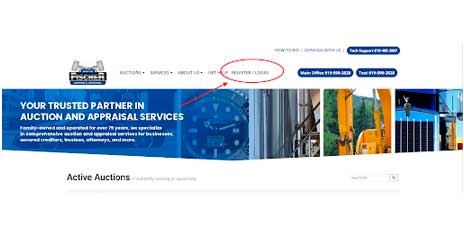
  • Go to BidFischer.com and click Register / Login in the top right corner.
Register / Login Link location

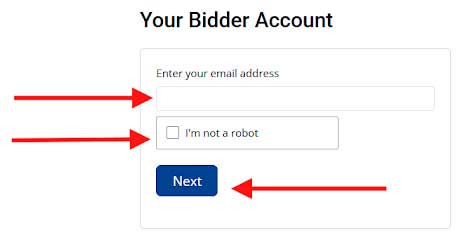
2: ENTER YOUR EMAIL ADDRESS

  • Type your email address into the available field.
  • New users will receive an email to complete setup
  • Returning users will be prompted for their password
Bidder Account Login / Register Box

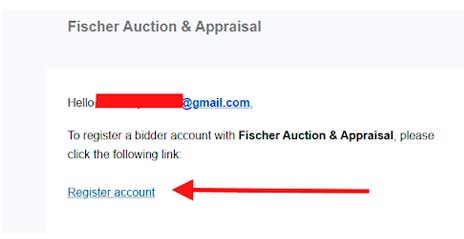
3: Check your email

  • If you’re new, open your email and click “Register Account”
  • This will take you back to finish creating your account
Screenshot of submission accepted email

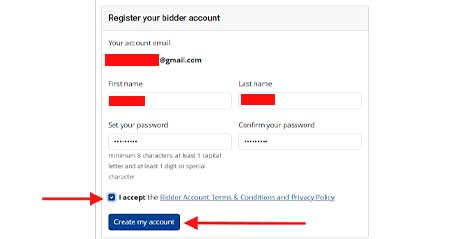
3: Create Your Account

  • Fill in your First and last name
  • Enter a password (minimum 8 characters, 1 capital letter, 1 number or symbol)
  • Accept the terms and click I Accept the Bidder Terms & Conditions and Privacy Policy.
Register your account screenshot

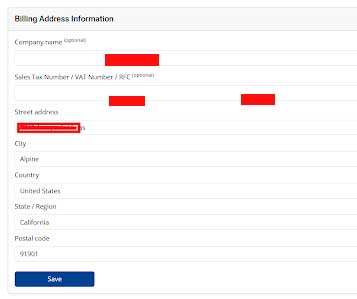
4: Enter Billing Information

  • Add your billing address, city, state and zip code
  • Add your company name if applicable
  • Click Save
billing address screenshot

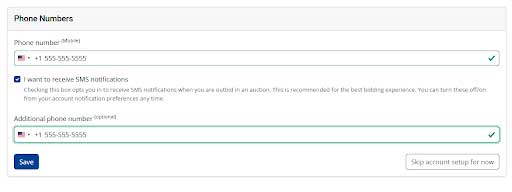
5: Verify your phone number

  • Enter your phone number
  • You can opt in for outbid text alerts (highly recommended)
  • If selected, enter the 6-digit code sent to your phone
  • Make sure to review your invoice and arrange for payment and pickup promptly.
  • Click Save
screenshot of phone number form

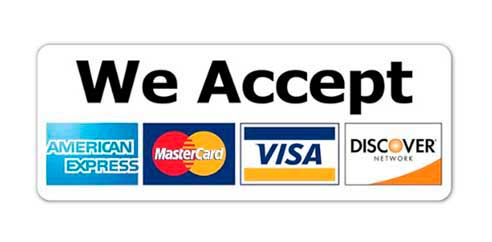
6: Add Credit Card (Required to bid)

  •  Enter credit card number
  • Enter expiration date
  • Enter CVV code (3 digit code on back of card)
  • Enter Cardholder name (must match your account name)
  • Click Validate to Finish

Note: You can skip this step, but you cannot bid until a card is added and validated.
You’re Ready to Bid!

Once completed, you’ll be automatically logged in and your name will appear in the top right corner.

Important BIDDING NOTES!

Already Have an Account?

  • Enter your email
  • Enter your password
  • Click Login
  • Forgot your password? Use the reset link on the login page

How Bidding Works

  • Browse active auctions on BidFischer.com
  • Enter your bid or place a max bid
  • You’ll be notified if you are outbid
  • Highest bid when the auction closes wins

Auction Terms & Conditions

  • All items are sold as-is, where-is
  • All sales are final
  • Be sure to review preview times and pickup dates before bidding
  • A valid payment method is required to participate
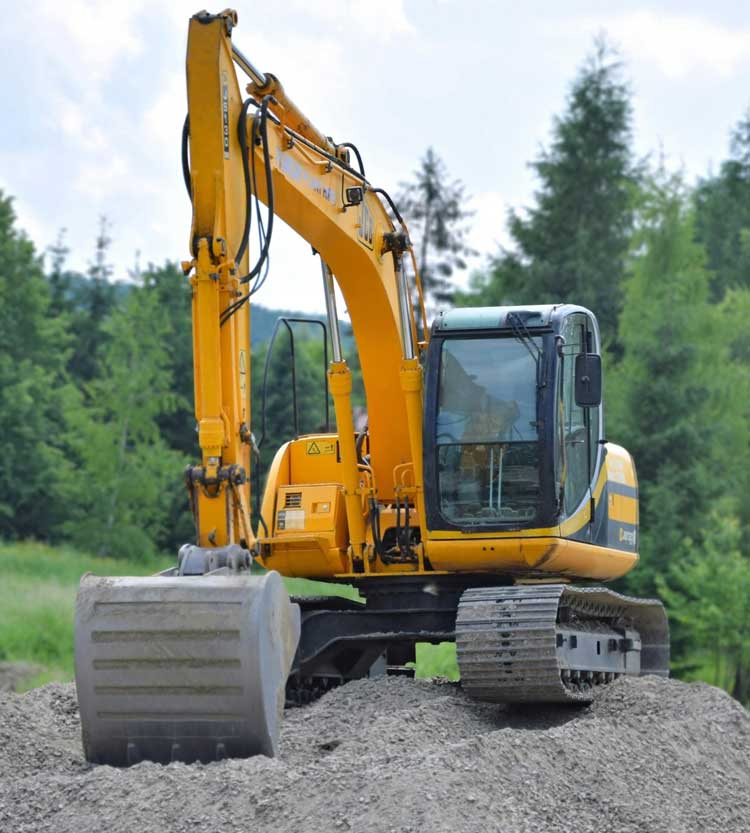
A backhoe on top of a mound of dirt.

Ready to Get Started?

Click here to create your account and start bidding:
https://www.bidfischer.com

Need Help?

If you have any questions about registering or bidding, we’re here to help. Call tech support at 619-485-3887 or email tech support at fi************@************rt.com

Why Buy at Fischer Auction?

  • Experienced & Trusted – Serving the auction industry for over 75 years.
  • Exclusive Inventory – Access to high-quality equipment, vehicles, business assets, and more.
  • Fair & Competitive Bidding – Get great deals on surplus assets, bankruptcies, business liquidations, and more.
  • Customer Support – Our team is here to help! Contact us with any auction-related questions.